



A wind instrument widespread in the southern Blue Nile region. It is made from a type of reed derive...

Sound Archive — SSLH
Agamo
A wind instrument widespread in the southern Blue Nile region. It is made from a type of reed derived from the bizam plant — a species that grows along the banks of the Nile and at the edges of valleys and various waterways. The smaller agamo produces five notes and the larger agamo seven notes, all tuned pentatonically.
It carries deep social significance in the communities that use it: a young man cuts and tunes the pipes, then presents them to the girl he has chosen. She weaves and assembles the pipes in order from longest to shortest using strips of palm frond taken from doum palms — a type of palm tree widespread in those areas — and returns them to the young man as a token of their bond, as is customary in those communities.
The musician holds it in one hand, places it under the lower lip, and blows across it to produce sound, moving it left and right to change pitch. It closely resembles the instrument known as the pan flute and is found wherever similar materials exist, including parts of East Asia such as China and southern Africa..
It carries deep social significance in the communities that use it: a young man cuts and tunes the pipes, then presents them to the girl he has chosen. She weaves and assembles the pipes in order from longest to shortest using strips of palm frond taken from doum palms — a type of palm tree widespread in those areas — and returns them to the young man as a token of their bond, as is customary in those communities.
The musician holds it in one hand, places it under the lower lip, and blows across it to produce sound, moving it left and right to change pitch. It closely resembles the instrument known as the pan flute and is found wherever similar materials exist, including parts of East Asia such as China and southern Africa..
A musical instrument used by the Hausa people, called 'Gourmilou' among the Fulani (Fellata) tribe. ...
Sound Archive — SSLH
Gormi
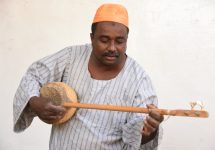
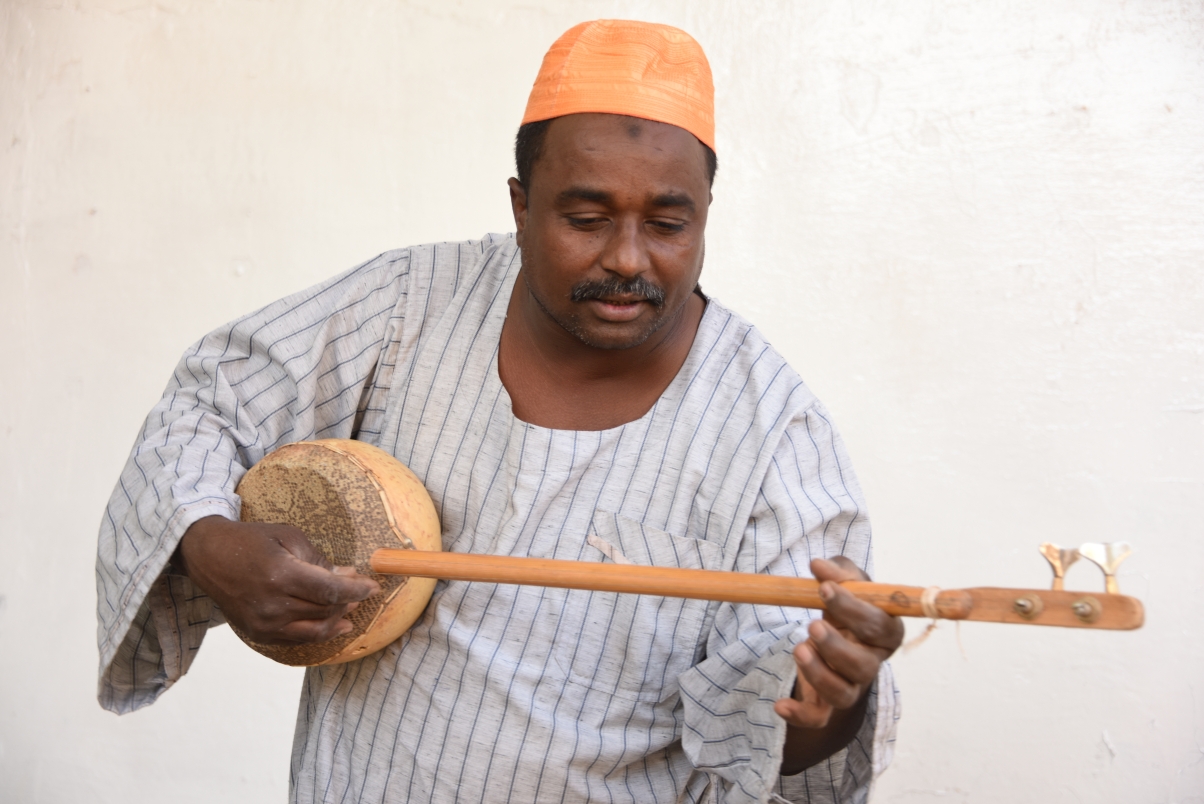
A musical instrument used by the Hausa people, called 'Gourmilou' among the Fulani (Fellata) tribe. It is made from a circular gourd, Nile monitor lizard skin, and a cane stick, and has two strings.
The musician cradles it against his chest — similar to how an oud is played — and produces rhythmic beats from a metal piece attached to the side of the gourd using the middle finger of his right hand, while plucking the strings with his index finger and thumb. He changes pitch by pressing on the strings with his left hand.
It is played at celebrations and festive occasions and is usually accompanied by the kangu instrument. It is widespread across various regions including the states of Darfur, Gedaref, and the Red Sea.
The musician cradles it against his chest — similar to how an oud is played — and produces rhythmic beats from a metal piece attached to the side of the gourd using the middle finger of his right hand, while plucking the strings with his index finger and thumb. He changes pitch by pressing on the strings with his left hand.
It is played at celebrations and festive occasions and is usually accompanied by the kangu instrument. It is widespread across various regions including the states of Darfur, Gedaref, and the Red Sea.

One of the string instruments played by the Hadday — a wandering folk musician who travels between v...
Sound Archive — SSLH
Umkiki
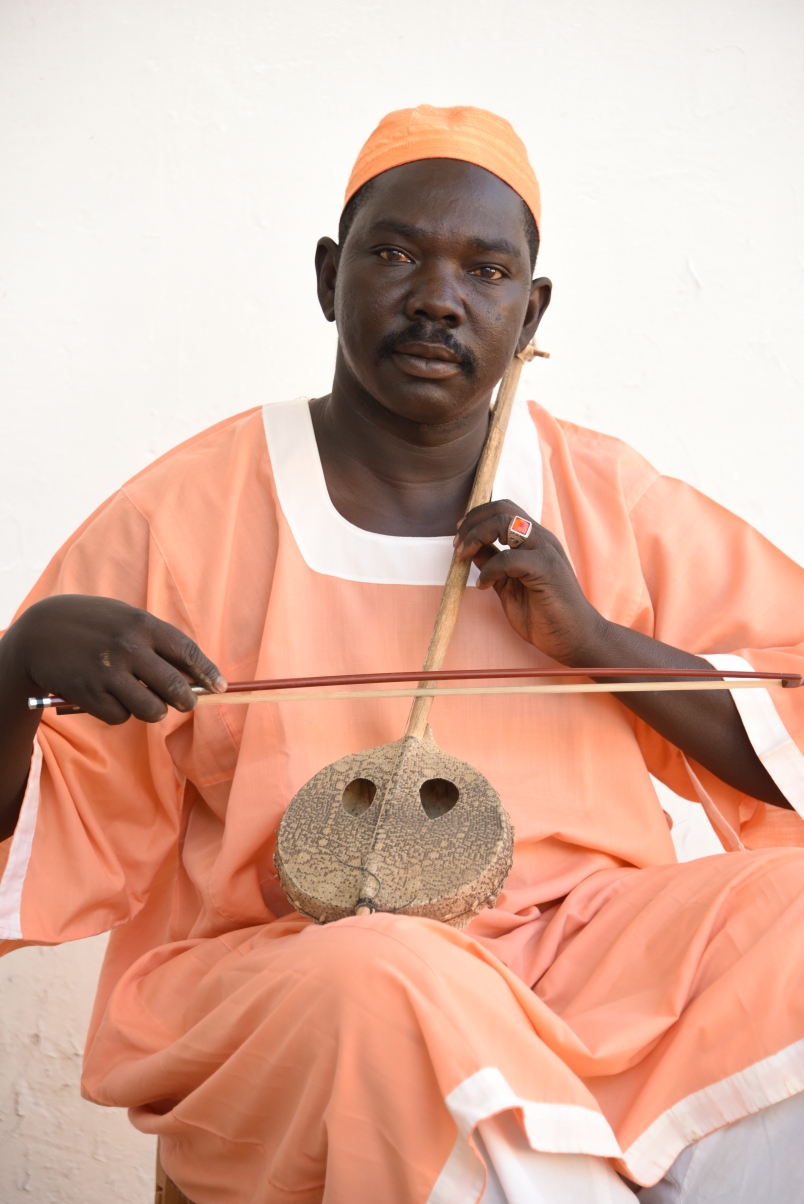
One of the string instruments played by the Hadday — a wandering folk musician who travels between villages. It is widespread in western Sudan among the Baggara tribes. It is a bowed string instrument, meaning it produces sound through a bow.
It is played seated; the musician places it between his thighs, draws the bow across the string with his right hand, and changes pitch with his left hand.
It is found across many Arab and African countries under different names: in Algeria it is called the 'Imzad' and is played exclusively by women; in Burundi it is called the 'Indinginindi'; in Ethiopia it is called the 'Masinqo'; in most Gulf countries it is called the 'Arab Rabab'; and in Kenya it is called the 'Orutu.'
It is played seated; the musician places it between his thighs, draws the bow across the string with his right hand, and changes pitch with his left hand.
It is found across many Arab and African countries under different names: in Algeria it is called the 'Imzad' and is played exclusively by women; in Burundi it is called the 'Indinginindi'; in Ethiopia it is called the 'Masinqo'; in most Gulf countries it is called the 'Arab Rabab'; and in Kenya it is called the 'Orutu.'
The Janger is considered one of the forms of the rababa, and its history has long been intertwined w...
Sound Archive — SSLH
Janger
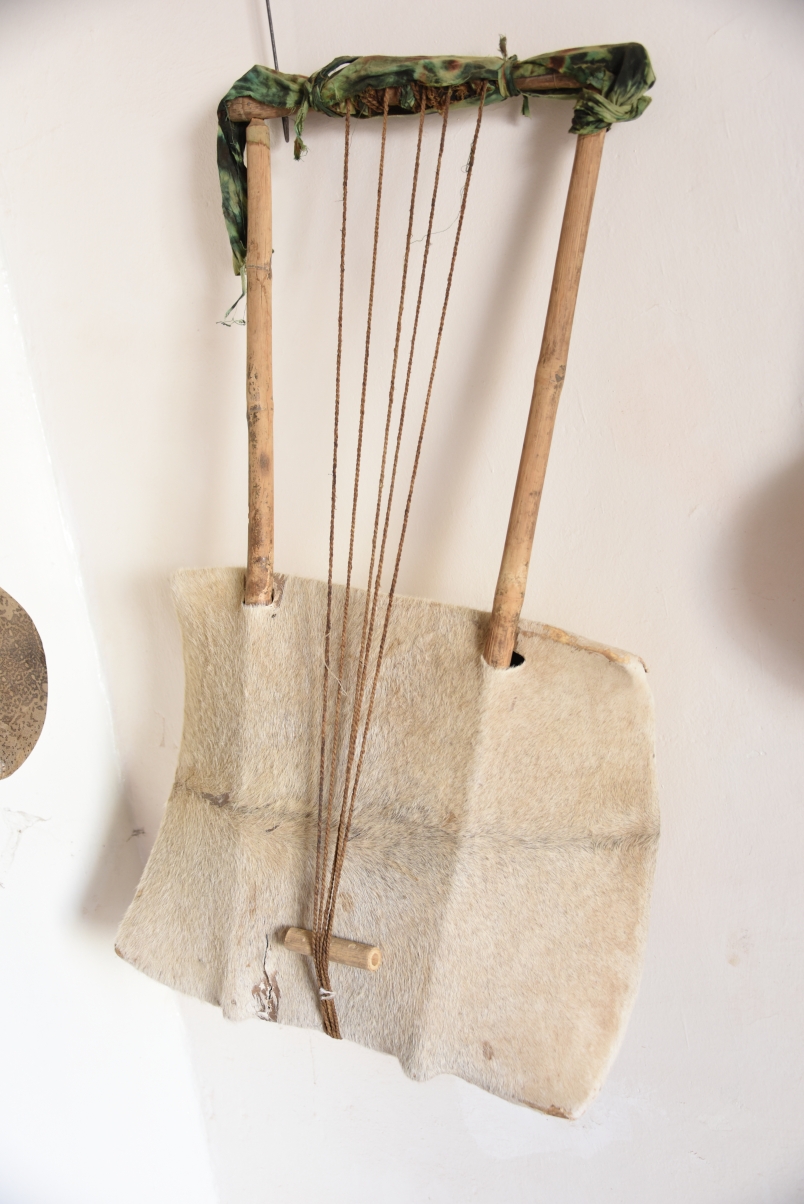
The Janger is considered one of the forms of the rababa, and its history has long been intertwined with the history of the kambour in Sudan.
Ancient Greek mythology records that the god Mercury (Mercurius) found a dry tortoise shell and, wishing to make something useful from it, cleaned it, stretched skin parchment over it, and drew out two arms. He connected the ends of the two arms with a crossbar, then strung seven strings made from goat intestines across it, with their other ends attached to the skin parchment — thereby creating an instrument capable of producing sound. This is traced back to the fourth century BC.
Additionally, carvings of it have been found in Kushite, Meroitic, and Nubian inscriptions dating back seven thousand years BC, which is testament to the deep-rooted history of this instrument in Sudan.
Ancient Greek mythology records that the god Mercury (Mercurius) found a dry tortoise shell and, wishing to make something useful from it, cleaned it, stretched skin parchment over it, and drew out two arms. He connected the ends of the two arms with a crossbar, then strung seven strings made from goat intestines across it, with their other ends attached to the skin parchment — thereby creating an instrument capable of producing sound. This is traced back to the fourth century BC.
Additionally, carvings of it have been found in Kushite, Meroitic, and Nubian inscriptions dating back seven thousand years BC, which is testament to the deep-rooted history of this instrument in Sudan.
The Tambour consists of a wooden vessel (a dry bowl or basin) with only five strings, tuned pentaton...
Sound Archive — SSLH
Tambour
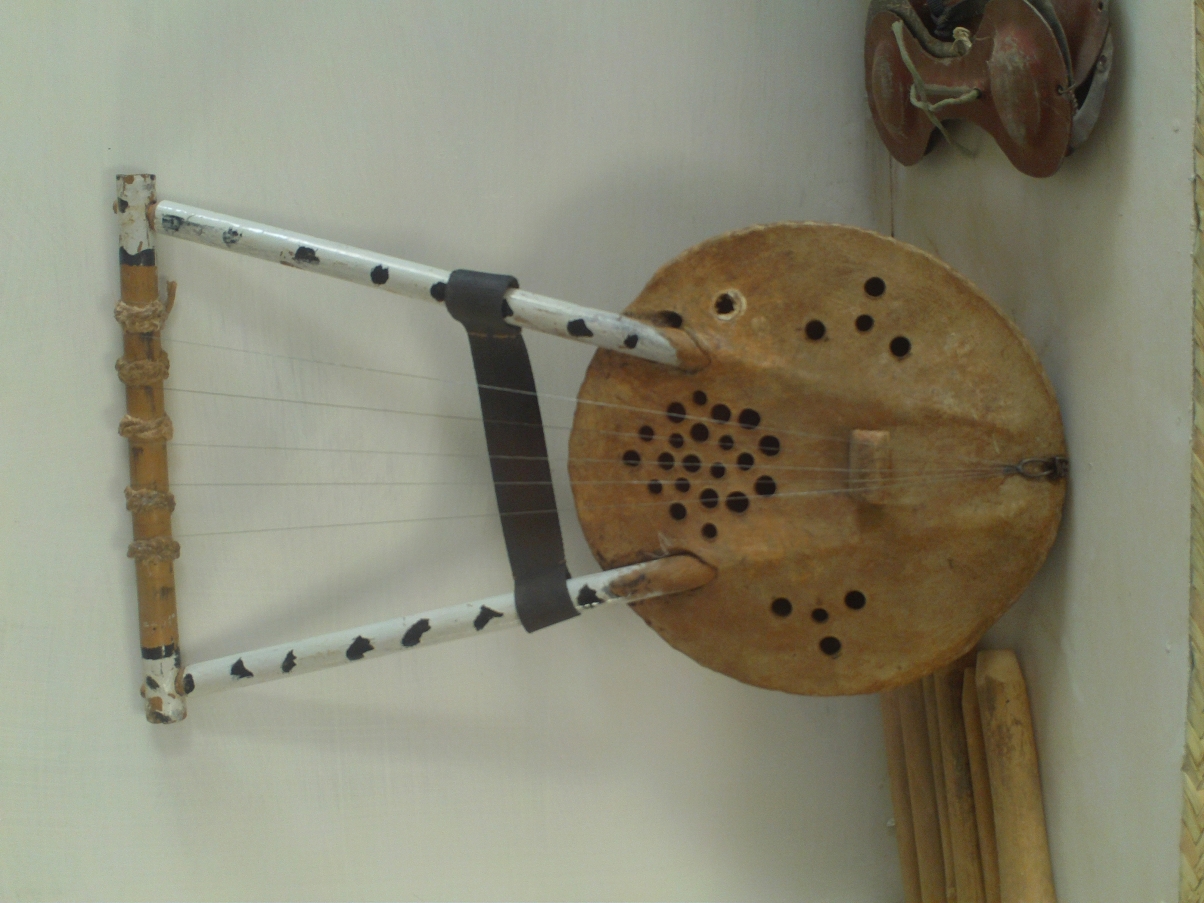
The Tambour consists of a wooden vessel (a dry bowl or basin) with only five strings, tuned pentatonically, and with variously shaped openings in the skin membrane on its face. It is found in northern Sudan, accompanied by the dileeb and ratouti rhythms.
Ancient Greek mythology likewise records that the god Mercury found a dry tortoise shell, cleaned it, stretched skin parchment over it, and drew out two arms. He connected the arms with a crossbar and strung seven goat-intestine strings across it, with their ends attached to the skin — creating a sound-producing instrument dated to the fourth century BC. Carvings of it also appear in Kushite, Meroitic, and Nubian inscriptions dating back seven thousand years BC, evidence of its ancient roots in Sudan.
When playing while standing, the musician holds the instrument on his forearm, resting it against his chest with his left hand from behind. The fingers of the left hand are placed beneath the strings (behind the instrument), and all strings are plucked muted using a plectrum of dry leather, producing a kind of 'sizzling' sound that represents the fundamental beats of the rhythm being played. The string whose pitch is to be heard clearly is released (the finger is lifted) so it rings out distinctly above the other strings, which remain muted by the remaining fingers.
Ancient Greek mythology likewise records that the god Mercury found a dry tortoise shell, cleaned it, stretched skin parchment over it, and drew out two arms. He connected the arms with a crossbar and strung seven goat-intestine strings across it, with their ends attached to the skin — creating a sound-producing instrument dated to the fourth century BC. Carvings of it also appear in Kushite, Meroitic, and Nubian inscriptions dating back seven thousand years BC, evidence of its ancient roots in Sudan.
When playing while standing, the musician holds the instrument on his forearm, resting it against his chest with his left hand from behind. The fingers of the left hand are placed beneath the strings (behind the instrument), and all strings are plucked muted using a plectrum of dry leather, producing a kind of 'sizzling' sound that represents the fundamental beats of the rhythm being played. The string whose pitch is to be heard clearly is released (the finger is lifted) so it rings out distinctly above the other strings, which remain muted by the remaining fingers.
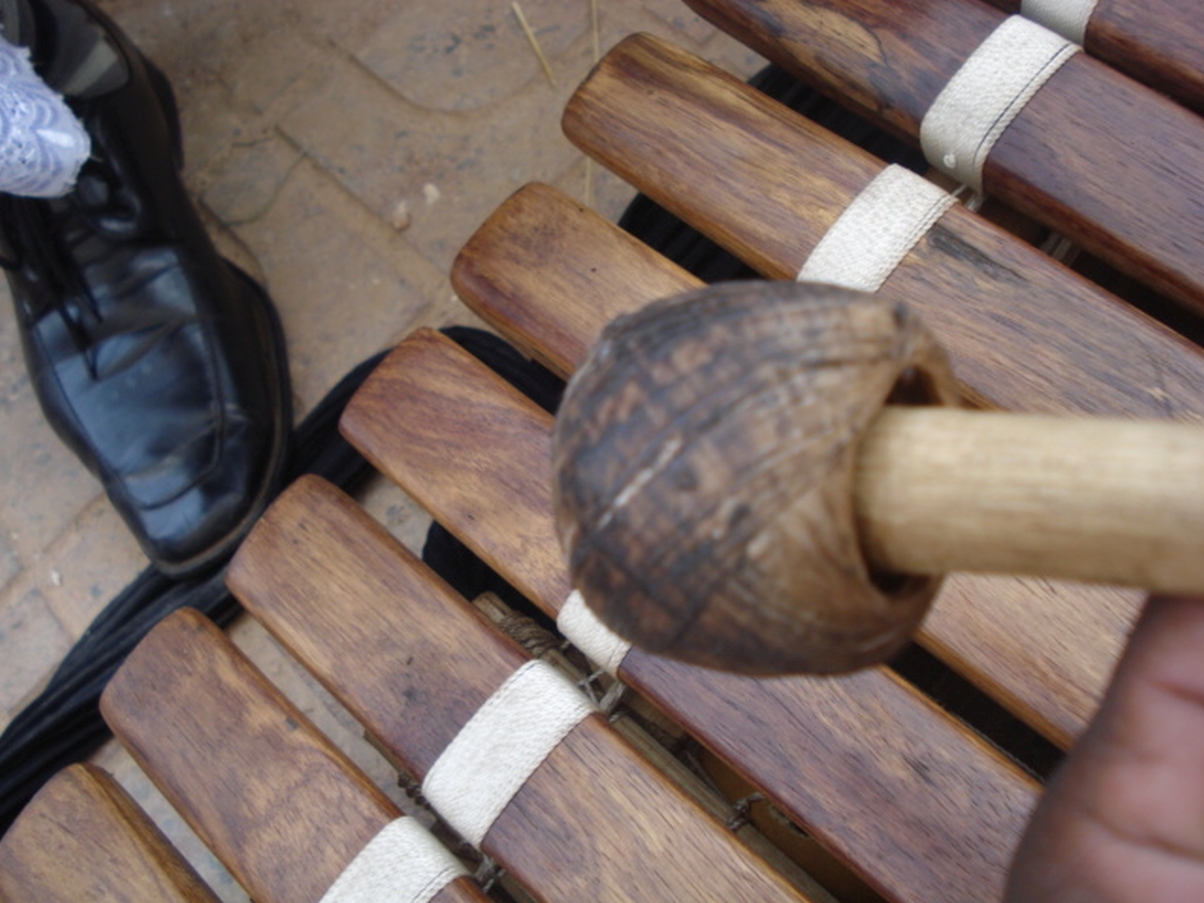
The Banimbo is a Sudanese wooden xylophone from Blue Nile State, similar to the balafon or marimba o...
Sound Archive — SSLH
Banimbo
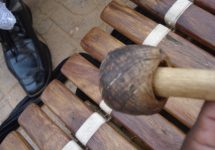
The Banimbo is a Sudanese wooden xylophone from Blue Nile State, similar to the balafon or marimba of West Africa. Its bars are made from teak wood of varying lengths and are struck with mallets. The sound is warm, woody, and resonant.
The Banimbo plugin assigns bars to a standard keyboard layout, making it easy to play melodies and harmonies that carry an unmistakable African warmth.
Melody · Tonal Percussion · Blue Nile
The Banimbo plugin assigns bars to a standard keyboard layout, making it easy to play melodies and harmonies that carry an unmistakable African warmth.
Melody · Tonal Percussion · Blue Nile

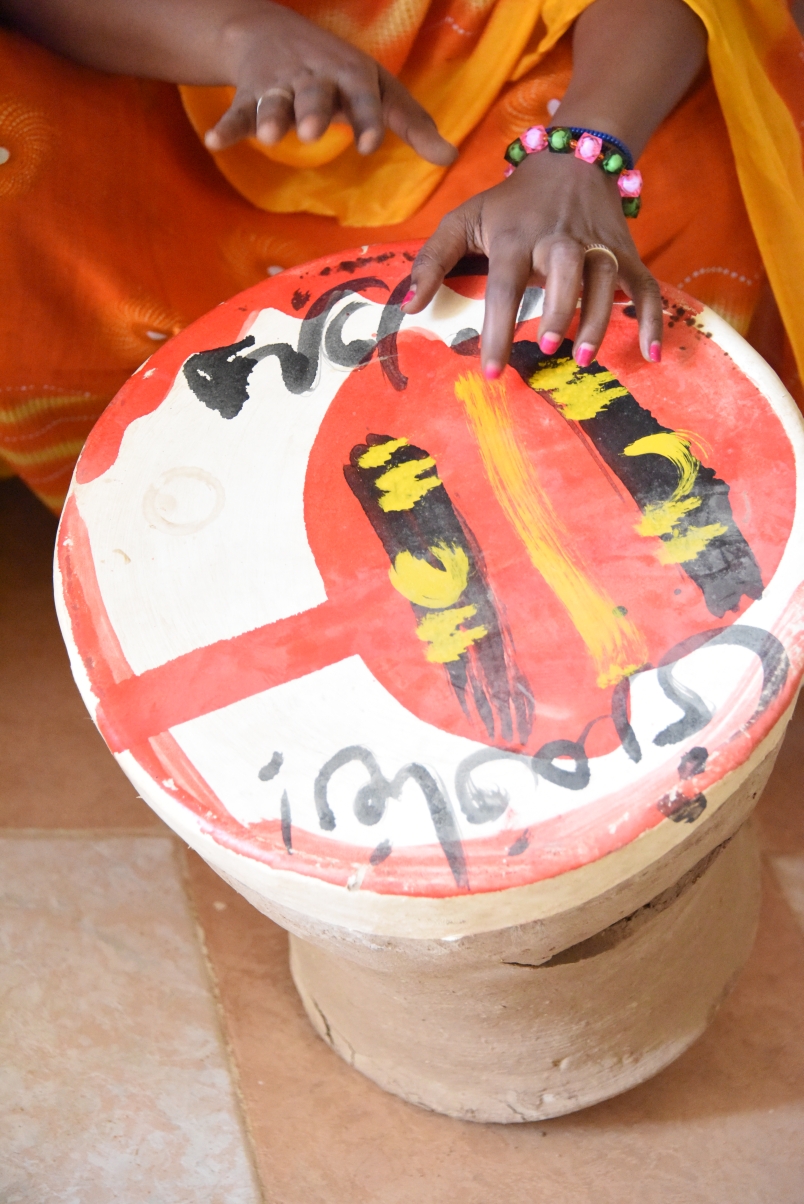
The Daluka is a small goblet-shaped drum traditionally made from fired clay, with animal skin stretc...
Sound Archive — SSLH
Daluka
The Daluka is a small goblet-shaped drum traditionally made from fired clay, with animal skin stretched across its opening. Used in Sufi ceremonies, wedding celebrations, and community gatherings across eastern and central Sudan. Its sound ranges from a deep bass tone to sharp slaps and finger-edge strikes. The plugin captures multiple playing positions and articulations, giving producers the full rhythmic vocabulary of this essential drum.
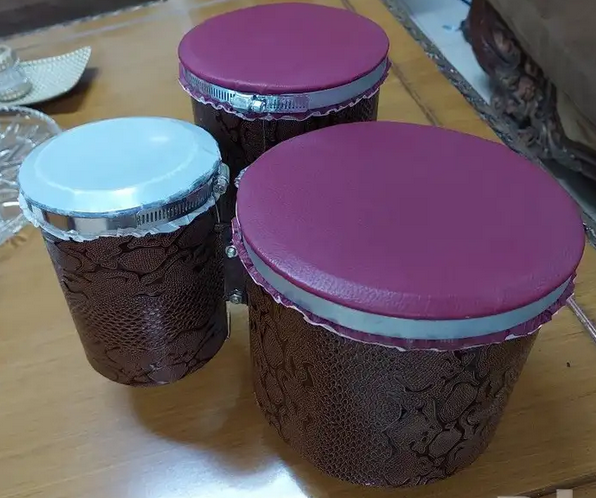
The Bongoz are a three pairs of small, hand-played drums rooted in Sudanese percussion tradition. Pl...
Sound Archive — SSLH
Bongoz
The Bongoz are a three pairs of small, hand-played drums rooted in Sudanese percussion tradition. Played together, the two drums — tuned to different pitches — create an interlocking, conversational rhythmic dynamic that underpins much of Sudan's traditional ensemble music. The Bongoz plugin gives you both drums mapped individually so you can program or play their characteristic patterns and cross-rhythms with precision.